
Cursed Tank Simulator Artillery Calculator: The Ultimate Ballistics Guide
Master indirect fire in Roblox Cursed Tank Simulator. Learn how to use the artillery calculator, estimate range, and dominate with the M109.
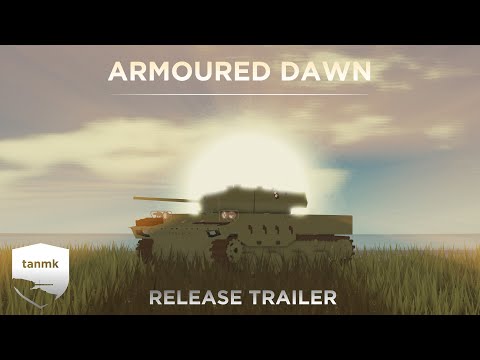 Official mediaMaster indirect fire in Roblox Cursed Tank Simulator. Learn how to use the artillery calculator, estimate range, and dominate with the M109.YouTube
 Roblox's tactical tank combat game offers a unique blend of chaotic custom tank building and surprisingly deep ballistics physics. If you want to dominate the battlefield with long-range howitzers like the M109, mastering the cursed tank simulator artillery calculator mechanics is absolutely essential. In this guide, we will break down how to use a cursed tank simulator artillery calculator to secure one-shot kills from behind cover without ever exposing your hull to direct enemy fire.
With the right setup, you can turn the tide of any match by rain-dropping high-explosive shells onto unsuspecting enemies. Let's dive into the mechanics of indirect fire, range estimation, and ballistics calculation.
The Basics of Indirect Fire in Cursed Tank Simulator
In Cursed Tank Simulator (CTS), players can combine various hulls, turrets, and guns to create highly customized combat vehicles. While most players engage in direct, line-of-sight combat, artillery builds utilize high-trajectory howitzers to lob shells over hills, buildings, and cover. This playstyle requires a solid understanding of shell velocity, distance, and gravity.
Unlike standard tanks, self-propelled guns (SPGs) like the M109 require players to calculate the angle of elevation needed to land a shell on a target they cannot directly see. This is where community-sourced calculators and mathematical formulas come into play. Understanding how to utilize a cursed tank simulator artillery calculator can bridge the gap between guessing and securing consistent hits.
To fire indirectly, you must understand the relationship between muzzle velocity, gravity, and target distance. Because shells in CTS are affected by gravity, they travel in a parabolic arc. The slower the shell, the steeper the arc, which is actually advantageous for hitting targets behind tall obstacles.
How a Cursed Tank Simulator Artillery Calculator Works
At its core, a cursed tank simulator artillery calculator uses standard projectile motion equations adapted for the Roblox physics engine. The basic formula to find the launch angle (θ) for a projectile is:
θ = 1/2 × arcsin((g × d) / v²)
Where:
gis the acceleration due to gravity (which can vary slightly based on the game's physics scale).dis the horizontal distance (range) to the target.vis the muzzle velocity of your shell.
When using a web-based cursed tank simulator artillery calculator, players must input the exact muzzle velocity of their chosen gun and shell, along with the target's distance. The calculator then outputs the exact elevation angle in degrees or mils.
According to community reports, many players keep a secondary screen or mobile device open with a spreadsheet-based calculator to quickly crunch numbers during active matches. This allows them to adjust their aim in real-time as targets move across the map.
Popular Artillery Guns and Muzzle Velocities
To use any calculator effectively, you need to know the muzzle velocity of your weapon system. Different guns and shell types have vastly different velocities. High-velocity shells travel flatter and faster, while low-velocity shells have a higher arc, making them better for indirect fire.
The table below outlines some of the most popular artillery and howitzer guns in Cursed Tank Simulator, along with their key performance metrics.
| Gun Name | Tier | Standard Shell Type | Muzzle Velocity (m/s) | Playstyle Suitability |
|---|---|---|---|---|
| 155mm M109 Howitzer | Tier 8 | HE / Smoke | 280 m/s | Excellent for high-arc indirect fire |
| 152mm 2S19 Msta-S | Tier 9 | HE / AP | 320 m/s | Versatile, moderate arc |
| 155mm Type 75 | Tier 7 | HE | 290 m/s | Great entry-level artillery |
| 105mm Abbot | Tier 5 | HE / HESH | 350 m/s | Fast reload, flatter trajectory |
| Sturmpanzer 15cm | Tier 3 | HE | 240 m/s | Extreme arc, short range |
Using a lower muzzle velocity gun like the Sturmpanzer or the M109 allows you to clear high obstacles easily. However, it also increases the shell's travel time, meaning you must lead moving targets significantly.
Step-by-Step Guide to Calculating Fire
Operating artillery successfully requires a systematic approach. Without a reliable cursed tank simulator artillery calculator, you would have to rely entirely on visual trial-and-error, which wastes ammunition and exposes your position to counter-battery fire.
Follow these steps to secure accurate hits:
- Position Your Vehicle: Find a flat, level surface behind solid cover (like a hill or building). If your tank is tilted, your elevation readings will be inaccurate.
- Identify the Target: Look at your minimap or listen to teammate callouts to locate enemy vehicles.
- Determine the Range: Use your tank's rangefinder if you have line of sight. If the target is hidden, estimate the distance using the map grid squares.
- Calculate the Angle: Input the range and your gun's muzzle velocity into your calculator.
- Aim and Elevate: Adjust your gun's elevation to match the calculated angle. Align your hull or turret horizontally with the target's bearing.
- Fire and Adjust: Fire a test shell. Watch for the impact or hitmarkers. If the shell lands short, increase the elevation slightly; if it goes over, decrease it.
The table below provides a quick-reference guide for the M109 Howitzer (assuming a muzzle velocity of 280 m/s on flat terrain).
| Target Range (Meters) | Required Elevation Angle (Degrees) | Shell Travel Time (Seconds) |
|---|---|---|
| 200m | 1.8° | 0.7s |
| 400m | 3.6° | 1.4s |
| 600m | 5.5° | 2.1s |
| 800m | 7.4° | 2.9s |
| 1000m | 9.3° | 3.6s |
| 1200m | 11.3° | 4.4s |
| 1400m | 13.4° | 5.2s |
Note: These calculations assume flat ground. If your target is at a different elevation than your tank, you must adjust your calculations accordingly.
Map Grids and Distance Estimation
When firing blindly over hills, you cannot use an active laser rangefinder. Instead, you must rely on map grids to estimate distance. Most maps in Cursed Tank Simulator feature a grid overlay on the minimap.
To estimate range using the grid system:
- Count the number of grid squares between your position and the target icon on the map.
- Multiply the number of squares by the grid scale of that specific map.
- Use the resulting distance in your ballistics calculator.
Here is a breakdown of grid square sizes for some of the most common maps in the game:
| Map Name | Grid Square Size (Meters) | Total Map Width (Meters) | Recommended Artillery Position |
|---|---|---|---|
| Desert Dunes | 100m | 1000m | Behind the southern dunes |
| Arctic Outpost | 150m | 1500m | Behind the main hangar ridges |
| Forgotten Valley | 120m | 1200m | In the riverbed depressions |
| Shattered City | 80m | 800m | Behind collapsed skyscraper debris |
By memorizing these grid sizes, you can quickly estimate ranges within a 10-to-20-meter margin of error, which is close enough for the large splash radius of high-explosive (HE) artillery shells.
Adjusting for Elevation Differences
One of the biggest challenges when using a cursed tank simulator artillery calculator is accounting for elevation differences. If you are sitting in a valley and your target is on top of a hill, a standard flat-ground calculation will cause your shell to hit the side of the hill rather than the target.
To compensate for elevation differences, players use the following rule of thumb:
- Target is Higher: Add elevation to your gun. For every 10 meters of height advantage the target has, add approximately 0.5 to 1.0 degree of elevation (depending on shell velocity).
- Target is Lower: Subtract elevation. For every 10 meters the target is below you, reduce your gun's elevation by 0.5 to 1.0 degree.
The table below outlines how to adjust your range inputs when dealing with elevation changes.
| Elevation Difference (Target vs. You) | Range Adjustment to Input | Action |
|---|---|---|
| +50 meters (Target Higher) | Treat target as 50m further away | Increase Angle |
| +25 meters (Target Higher) | Treat target as 25m further away | Increase Angle |
| 0 meters (Flat Ground) | Use actual measured range | No Change |
| -25 meters (Target Lower) | Treat target as 25m closer | Decrease Angle |
| -50 meters (Target Lower) | Treat target as 50m closer | Decrease Angle |
Pro Tips for Mastering Artillery Gameplay
To truly excel as an artillery player in Cursed Tank Simulator, you should look beyond basic calculations and focus on positioning, team coordination, and tactical movement.
- Use Natural Slopes: If your turret does not have enough vertical elevation to hit distant targets, park your tank on a reverse slope (pointing upward). This artificially increases your maximum gun elevation angle.
- Coordinate with Scouts: Light tanks and fast wheeled vehicles can spot enemies and keep them rendered on your minimap. Ask your team to mark targets for maximum efficiency.
- Relocate After Firing: Experienced players can trace your shell trails back to your location. To avoid counter-battery fire, move your tank forward or backward by 50 meters after every two or three shots.
- Bring the Right Ammo: Always load High Explosive (HE) or High Explosive Anti-Tank (HEAT) shells. HE shells have a large splash radius, meaning you can still damage or destroy targets even if your calculation is off by a few meters.
To test these strategies in real-time, you can join a match via the official Roblox Cursed Tank Simulator game page and practice your trajectories in the test range or public lobbies.
Frequently Asked Questions
How accurate is the cursed tank simulator artillery calculator?
The accuracy of the calculator depends entirely on the precision of your inputs. If you have the exact muzzle velocity of your shell and an accurate range measurement, the calculator will yield highly precise angles. However, server latency, wind physics (if active), and elevation differences can introduce minor deviations.
Can I use the cursed tank simulator artillery calculator for standard tanks?
Yes, you can use the calculator for standard tanks, especially when trying to snipe at extreme distances (over 1,000 meters) with low-velocity guns. However, standard tanks usually engage in direct fire, where built-in laser rangefinders and automatic lead systems are faster and more practical.
What is the best gun for indirect fire in Cursed Tank Simulator?
The 155mm M109 Howitzer is widely considered the best gun for indirect fire due to its massive HE payload, decent reload speed, and low muzzle velocity, which allows for a high, looping trajectory. The 152mm Msta-S is also highly favored by players in higher tiers.
How do I find the muzzle velocity of my shells in-game?
You can find the muzzle velocity of your shells by checking the statistics card of your equipped gun in the garage. Different shells (HE, APFSDS, HEAT) will have their individual velocities listed under their respective tabs. Be sure to update your calculator inputs whenever you switch shell types.
Related Guides
Cursed Tank Simulator for Dummies: The Ultimate Beginner's Guide
Master Roblox's Cursed Tank Simulator with our beginner's guide. Learn about parts, building custom tanks, maps, and current community meta.
Cursed Tank Simulator Grinding Tips: Master the Battlefield and Unlock Modern Tanks Fast
Struggling to upgrade your tank? Use these expert Cursed Tank Simulator grinding tips to earn cash, unlock powerful modules, and dominate every match.
Cursed Tank Simulator How to Downtier: The Ultimate Strategy Guide
Master the art of downtiering in Cursed Tank Simulator. Learn the best part combinations, tier brackets, and ammo types to dominate the battlefield.
Cursed Tank Simulator Reload Multiplier Guide: Maximize Your Firepower
Master the Cursed Tank Simulator reload multiplier. Learn how caliber penalties, turrets, and crew damage impact your reload time.